A handheld thermal imaging tool should not live as a mysterious gadget in the back pages of a catalog. Treated correctly, it becomes a clear upgrade path from IR thermometers and borescopes, a bridge between electrical test and building diagnostics, and a reliable cross-sell into HVAC and plumbing. The key is category placement, a clean ladder of SKUs, and merchandising that answers three shopper questions fast: How close? How clear? How long?
Table of Contents
TogglePut it where buyers already look for problems, not gadgets
In print and online catalogs, place thermal under the Test & Measurement → Inspection/Imaging spine, not in “Novelty” or “Electronics accessories”. Nearby pages should include clamp meters, multimeters, moisture meters, borescopes, anemometers and leak detectors. This signals that a handheld thermal imaging tool is a work instrument—used to locate heat loss, bad connections, blocked coils, or wet insulation—rather than a toy.
Explain the role in one sentence in your category header:
“Thermal imaging tools visualize temperature patterns to find faults quickly—no contact required.” Then, keep specs human: range (typical working distance), clarity tier, runtime, and reporting.
Build a simple Good–Better–Best ladder that merchandises itself
Shoppers and counter staff need three steps they can remember. Use a ladder that ties performance to jobs, not just pixels.
| Level | Typical buyer & jobs | Core spec idea | Shelf promise (front-of-card) |
|---|---|---|---|
| Good | DIY & maintenance; quick checks on doors, panels, vents | ~160×120, wide FOV, fixed focus | “Find leaks & hot spots fast” |
| Better | Prosumer & light trade; HVAC/electrical troubleshooting with reports | ~256×192, ≤50 mK, ΔT & isotherm, basic app/PC report | “Diagnose & document jobs” |
| Best | Pro service fleets; insurance, building envelope, commissioning | ~384×288, manual focus, dew-point overlay, radiometric reporting | “Pro clarity & proof on site” |
Keep the handheld thermal imaging tool naming readable across tiers, e.g., TI-1 / TI-2 / TI-3 plus a simple range tag: 200 m line for Better vs 300 m line for Best (even if most work is 0.3–3 m, the “line” label signals capability).
Cross-sell as a workflow, not a bundle list
Technicians buy outcomes. Pair thermal with tools that finish the diagnosis or prove the fix.
| Primary use case | Attach tools | Why it sticks | Counter talk-track |
|---|---|---|---|
| HVAC air leak / coil issues | Anemometer, manometer, IR thermometer | Confirms airflow & pressure once thermal finds anomaly | “See the cold path, then quantify airflow.” |
| Electrical hot spots | Clamp meter, IR thermometer with K-probe | Verify load/temperature; capture before/after | “Find the hot lug, then log the amps.” |
| Moisture / building envelope | Pin/pinless moisture meter, blower-door partner | Confirms wet areas thermal suspects | “Thermal guides you, moisture confirms you.” |
| Plumbing pre-locate | Acoustic/ultrasonic, tracer dye | Narrows demo area; reduces wall openings | “Scope first, then pinpoint.” |
On product pages, insert a short “Works better with…” strip linking to those categories.
Translate specs into the three questions buyers actually ask
Instead of a wall of jargon, answer:
- How close? Make FOV and focus about distance: “Optimized for 0.3–3 m inspections; macro clip-on for valve boxes.”
- How clear? Turn resolution/NETD into clarity tiers: Essential / Enhanced / Expert.
- How long? Publish runtime at 20 °C and –10 °C; cold numbers reduce returns.
Keep secondary specs (emissivity presets, isotherms, dew-point overlay) in a clean bullet list on the back of the card or the lower fold online.
Merchandising that demos in 10 seconds
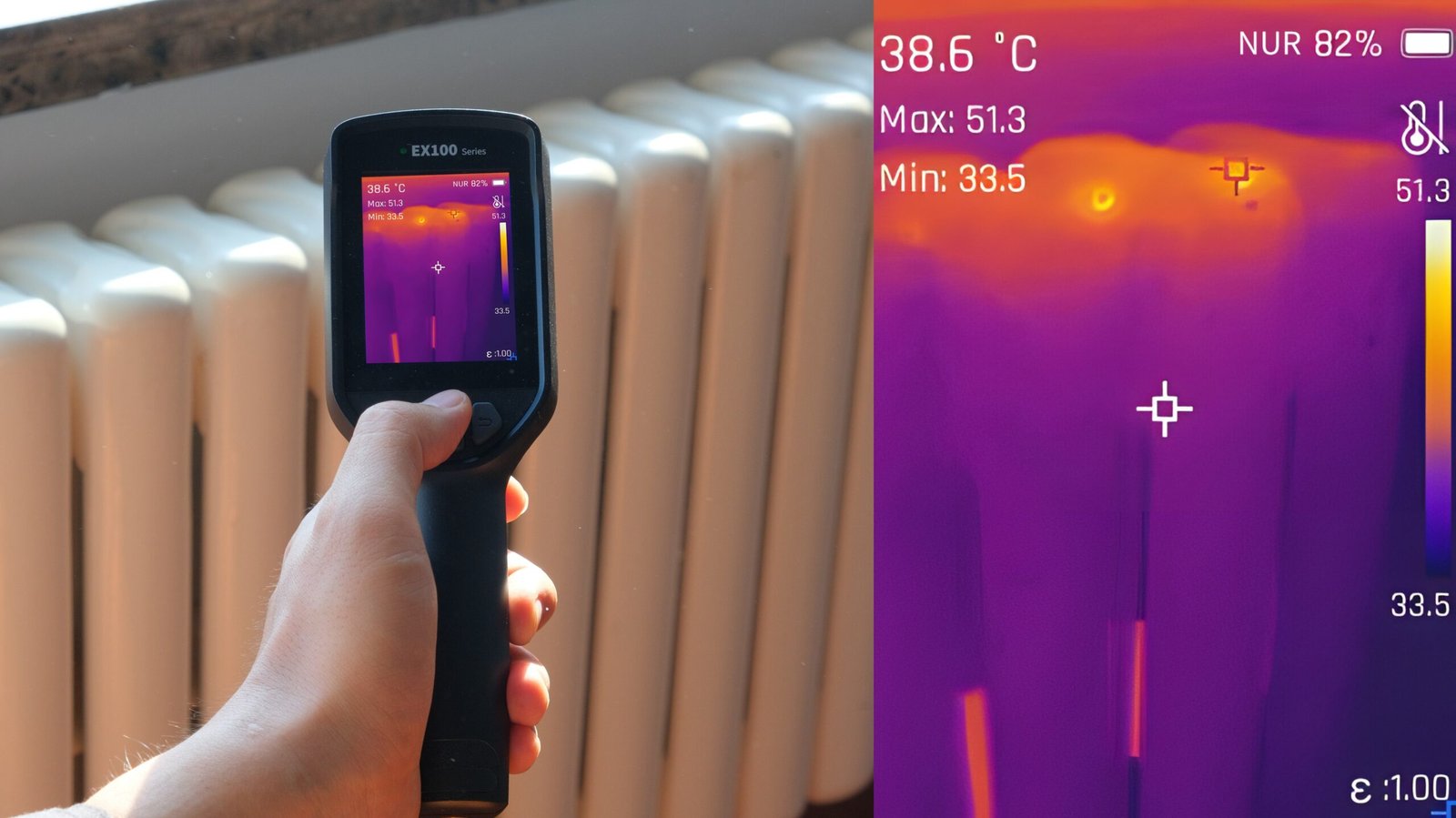
In stores, thermal needs motion and contrast to make sense. Use a QR video on the shelf tag that shows a 10-second “door leak → isotherm highlight → report snapshot” sequence. Place a live demo unit next to a heat pad or a small space heater behind plexi so shoppers see a thermal gradient instantly. Online, auto-play a muted 8–12 s loop illustrating the same arc.
Packaging copy should echo the three questions above, in that order. Avoid palette names on the front; save them for the side panel.
E-commerce cards that convert without a sales rep
A consistent 4-block structure outperforms creative prose:
- Hero line: Handheld thermal imaging tool for HVAC & electrical diagnostics
- Clarity + distance: Enhanced clarity (256×192), 0.3–3 m focus range
- Runtime: 6 h @ 20 °C / 4 h @ –10 °C; gloved hot-swap battery
- Proof: Radiometric images + one-tap PDF report
Add two icons only: ΔT / Isotherm and Dew-point overlay (Better/Best).
Planogram notes that reduce returns
- Place next to IR thermometers and borescopes. Shoppers upgrade progressively.
- Group by tier, not by brand color. Good on the left, Best on the right keeps decisions linear.
- Show real-world thumbnails. One attic shot, one electrical panel, one wet drywall.
- Train to a two-minute demo script. Power → palette → scan edge → trigger report. Staff confidence drives sales.
Private-label and OEM readiness (what factories need from you)
If you’re building a house brand, brief a handheld thermal imaging tool OEM on catalog realities: colorways that match your tool family, shared batteries/chargers, and firmware that ships in Basic Mode (palette/zoom/capture) with Advanced Mode behind a long-press for Wi-Fi and overlays. Reuse a stable thermal camera module so image “feel” stays consistent across SKUs, and lean on our integration playbook for fast tiering.
KPIs to watch after placement
Measure attach rate to moisture meters and clamp meters, return rate (watch for “didn’t understand” reasons), demo plays from the shelf QR, and time on page for the e-com video. Healthy lines show a rising attach rate within 60–90 days and return rates falling below generic IR thermometers as staff learn the two-minute demo.
Internal links to deepen the category (for your site)
Link “Learn more” blocks on each SKU to:
- A primer on thermal camera modules for handhelds
- A guide to thermal monoculars OEM/ODM for outdoor/security buyers who wander in
- A how-to on handheld thermal leak detectors in HVAC/plumbing to capture service trade traffic
CTA
Make thermal a category your staff can explain in two minutes. We’ll help you place a handheld thermal imaging tool line in the right catalog spine, map Good–Better–Best tiers, and ship OEM samples with the UI already set for counter demos. Start with our stable thermal camera module and fast-turn integration playbook, then talk to our team about private-label colors, packaging, and planograms.