For many brands, the hardest part of launching handheld thermal night vision products is not the sensor or the lens—it’s the sales conversation. Dealers stare at a wall of SKUs, acronyms and modes they barely understand, while customers mix up thermal vs digital night vision, monoculars vs weapon optics, “white-hot” vs “fusion” and walk away confused.
Table of Contents
ToggleIf you want a handheld thermal night vision line that actually sells, you need to design it so a new salesperson can explain it in two minutes and a first-time buyer leaves the store confident instead of overwhelmed. This guide shows how to build that clarity into your products, spec sheets and OEM briefs from day one.
In this guide you will learn
- What confuses night-vision newcomers when they first see handheld thermal products
- How to build a simple, memorable product ladder for handheld thermal night vision
- How to translate specs into benefits without dumbing them down
- How to simplify mode names, palettes and menus so dealers can demo fast
- How to brief your handheld thermal night vision OEM / China manufacturer so clarity is built into the hardware and firmware
1. Start with what confuses newcomers
Before fixing your portfolio, you need to understand why first-time buyers and many dealers struggle with handheld thermal night vision cameras and monoculars.
1.1 Common confusion points
- Thermal vs digital night vision
Customers think they are the same. Dealers often struggle to explain that thermal sees heat, not visible light, and works even without ambient light. - Monoculars, binoculars, handheld scopes, clip-ons
Too many form factors with overlapping names: “thermal monocular”, “handheld thermal scope”, “handheld thermal night vision camera”, “clip-on sight”, etc. - Specs with no context
Resolution, pixel pitch, NETD, FOV, refresh rate—numbers with no link to real field performance (e.g. “Will I see a boar at 400 m?”). - Mode names and palettes
Fancy mode labels like “Hunter”, “Rainbow 2”, “Fusion Highlight” that don’t say what they do. - Weapon vs non-weapon use
Customers are unsure which devices can be mounted on rifles and which are handheld only.
Your first design task is to reduce the number of concepts a new customer must learn in the first five minutes.
2. Build a simple “3 box” product ladder
A clear ladder makes dealers’ lives easier. Instead of ten slightly different handheld thermal night vision SKUs, build three families with obvious roles:
2.1 Three roles, three stories
- Spotter – thermal monoculars / compact handhelds
- Primary verb: find
- Use: scanning, scouting, tracking.
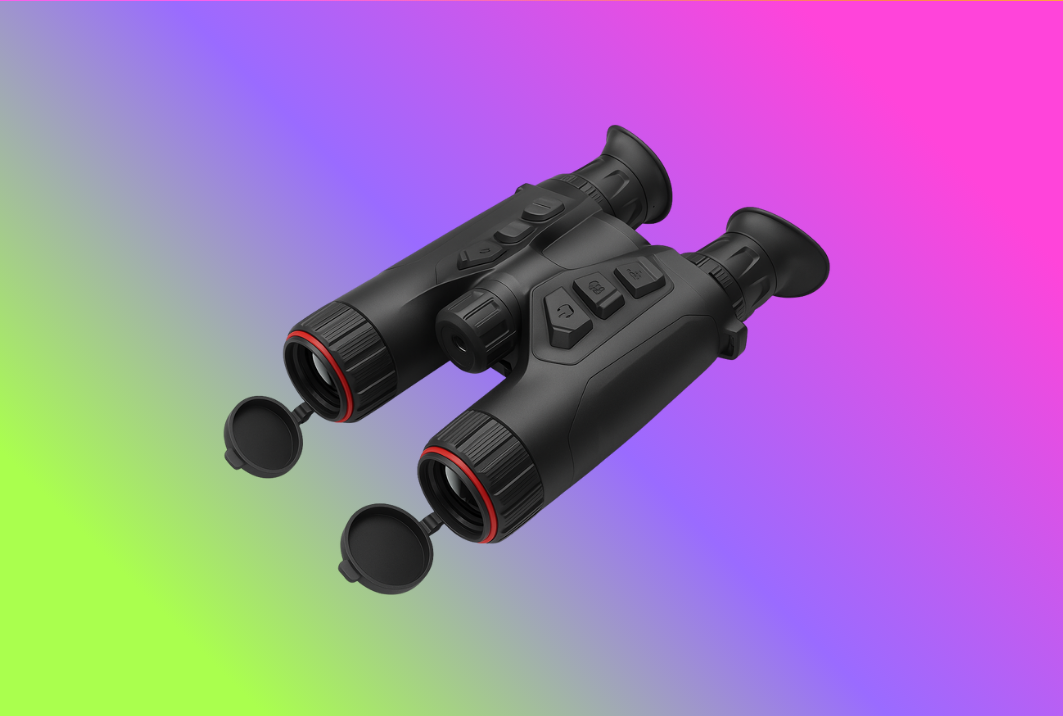
- Night vision viewer – handheld thermal night vision cameras & binoculars
- Primary verb: observe
- Use: longer viewing sessions, guiding, wildlife watching.
- Shooter – weapon optics & clip-ons
- Primary verb: aim
- Use: precision shots, confirmation through the sight.
You can point customers to your existing product pages to reinforce this structure:
- Spotters: thermal monoculars
- Viewers: thermal binoculars
- Shooters: thermal rifle scopes and thermal clip-on sight
2.2 Where handheld thermal night vision fits
In this framework, handheld thermal night vision products are:
- The bridge between spotter and shooter categories.
- Devices that feel like binoculars or compact scopes in the hand.
- Never ambiguous about weapon use: clearly marked “handheld only” or “mountable”.
For your OEM/ODM planning, you can design all three families on the same thermal imaging camera core platform, changing optics and housings while keeping UI and naming consistent.
3. Translate specs into three simple customer questions
Instead of dumping a table of numbers on the box, structure every spec explanation around three questions that customers actually ask:
- How far can I detect and recognize targets?
- How clear is the image vs price?
- How long can I use it in one night?
3.1 Detection & recognition
Ask your handheld thermal night vision China manufacturer for realistic detection / recognition distances for human and animal targets. Then convert them into plain labels, for example:
- 200 m line – small fields, forest trails
- 400 m line – mixed farmland, hills
- 800 m line – large fields and open country
Put those on your comparison chart and on in-store displays. Dealers can now answer “Will it work on this property?” without reciting sensor resolutions.
3.2 Image clarity vs price
Rather than drowning buyers in sensor details, define three clarity levels:
- Essential – entry 160×120 or 256×192 core
- Enhanced – 256×192 or 384×288 with better processing
- Expert – 384×288 or 640×512, best for longer ranges
You can still list full specs on product pages, but the front of box uses these labels plus a small call-out like “Good for 50–300 m / mixed terrain”.
3.3 Runtime & battery story
Battery life is easier:
- Put hours at 20°C and hours at –10°C in big print.
- Highlight swappable packs or shared batteries across your handheld thermal night vision, thermal monoculars and scopes.
Dealers then say: “This one runs about 4 hours, this mid-range model does 6, this pro model 8+ with a spare battery.”
4. Rename modes and palettes in plain language
Most OEM firmware is built by engineers, not sales trainers. When you brief your handheld thermal night vision OEM factory, insist on plain-language mode and palette naming.
4.1 Palette naming
Replace generic names like “Iron 2”, “Sepia” or “Fusion 3” with:
- Bright white (white-hot) – “body warmer = brighter”
- Black heat (black-hot) – “body warmer = darker”
- Highlight heat – high contrast for search
- City lights – colorful palette, great for demo / marketing, but not default
On your quick guide and packaging, show a thumbnail icon for each palette with a one-line benefit:
- “Bright white – best for first-time users”
- “Black heat – easier on eyes on very dark nights”
- “Highlight heat – pulls out small hot spots”
4.2 Mode naming
Instead of “Mode A / B / C” or “Hunter / Guide / Custom 1”, use use-case names:
- Scan mode – wide view, faster refresh, minimal details.
- Detail mode – slower pan, higher contrast, good for confirmation.
- Tracking mode – optimized for moving targets and hand-held scanning from vehicles.
Make these the same on all your handheld thermal night vision cameras, monoculars and binoculars so training a dealer on one model trains them on all.
4.3 Hide advanced options
Ask your OEM partner to create Basic and Advanced menus:
- Basic: palette, zoom, brightness, power.
- Advanced: Wi-Fi, GPS, LRF pairing, reticle settings etc.
You can even ship entry retail SKUs in “Basic-only” mode, with an unlock code for advanced settings reserved for trained dealers or B2B customers.
5. Make naming and packaging work like a flowchart
A clear naming system prevents calls like “Is the HN-320 better than the HT-256 Pro?”. Design names so they explain themselves.
5.1 Model naming pattern
Example pattern:
HN – handheld night vision series
3 – clarity level (1 = Essential, 2 = Enhanced, 3 = Expert)
20 – lens class / range (20 = 200 m, 40 = 400 m, 80 = 800 m)
So HN-340 instantly means: handheld thermal night vision, Expert clarity, 400 m line.
Share this pattern in your dealer book and on your site.
5.2 Front-of-box messaging
Front of box should answer three questions:
- What is it? – “Handheld Thermal Night Vision Viewer”
- Who is it for? – “For hunters, security and outdoor guides”
- What tier is it? – “Expert / 400 m line / 6 h runtime”
Everything else (sensor resolution, NETD, refresh rate) moves to the side panel or the website.
6. Train dealers like you train end-users
A great handheld thermal night vision line still fails if nobody trains the staff. Plan simple, repeatable training that fits how dealers work.
6.1 Two-minute demo script
Give sales reps a script built around:
- “What thermal is and isn’t” (heat vs light).
- “Three families: spotter, handheld viewer, shooter.”
- “This model line: Good / Better / Best; 200 / 400 / 800 m.”
- “Two buttons you need to know: power and palette.”
Print it as a card inside the demo case and as a PDF that reps can keep on their phone.
6.2 Quick reference charts and QR videos
- Wall charts in the shop with the Good/Better/Best comparison and palette thumbnails.
- QR codes on each box linking to a 60-second “how to start and scan” video.
- A single landing page on your site aggregating all handheld thermal night vision tutorials, linked from related pages like thermal monoculars OEM/ODM or thermal rifle scopes OEM/ODM.
6.3 Demo units and shared accessories
Encourage dealers to keep at least one demo handheld thermal night vision unit charged near the counter. Use shared batteries and chargers across your line so demo gear can be cannibalized for spares in emergencies.
7. Bake clarity into your OEM brief
Everything above only works if your handheld thermal night vision manufacturer supports it in hardware and firmware. When you brief a China factory, include:
- Product ladder & personas – show Good/Better/Best and who buys each.
- Naming and label rules – palette names, mode labels, on-screen icons.
- UI wireframes – even simple sketches of the main screen and menu help.
- Training hooks – request a “Demo mode” (limited buttons, big overlays) for in-store units.
- Common platform – same thermal module and UI logic across monoculars, binoculars and scopes so dealers don’t relearn from scratch.
If you work with a partner that already offers thermal camera modules and systems—for example on a thermal camera module + thermal + LRF fusion platform—you can reuse their proven UX patterns and adapt them to your naming strategy instead of starting from zero.
Frequently Asked Questions {#faq}
Q1: How many handheld thermal night vision models should I offer at launch?
For most dealer networks, three to five SKUs are enough: a Good/Better/Best ladder and possibly one specialized long-range unit. Start simple, then add variants only when dealers clearly request them.
Q2: Should I separate handheld thermal night vision and digital night vision lines?
Yes. Thermal and digital night vision solve different problems and have different price points. Keep them as separate families with different color accents and clear “THERMAL” or “DIGITAL” branding on the housings and boxes.
Q3: How technical should dealer training be?
Focus on scenarios (“this model is for 200 m mixed terrain”) rather than internal specs. Only a few staff in each shop will ever care about pixel pitch; everyone can remember Good/Better/Best and 200/400/800 m.
Q4: Can I use the same UX for handheld night vision and rifle scopes?
You should. Users love consistency. Keep palettes and basic button logic the same on handheld thermal night vision units and thermal rifle scopes; then add reticle/ballistic menus only on weapon optics.
Q5: What’s the fastest way to see if my naming is clear?
Give three non-technical colleagues or friends your boxes and a 1-page chart. Ask them to explain each handheld thermal night vision model back to you in 60 seconds. Any place they stumble is a place your dealers will stumble too.
Summary: make handheld thermal night vision easy to talk about
You don’t need the most complex product line to win in handheld thermal night vision. You need a line that:
- Fits into a simple three-family story (spotter, handheld viewer, shooter).
- Uses specs to answer real questions (range, clarity, runtime).
- Names modes and palettes in plain language.
- Trains dealers by design, not as an afterthought.
- Is supported by an OEM/ODM partner that can implement your UX, not just stamp your logo.
Do this and even night-vision newcomers will understand what they’re buying, your dealers will sell more confidently, and your brand will look like the one that “makes thermal easy”.
If you want help turning this strategy into concrete specs and firmware requirements, you can reach out to teams like Gemin Optics that already design handheld thermal night vision OEM platforms and share modules with thermal monoculars and other devices. When you’re ready to discuss a line tailored for your dealers, just contact us.