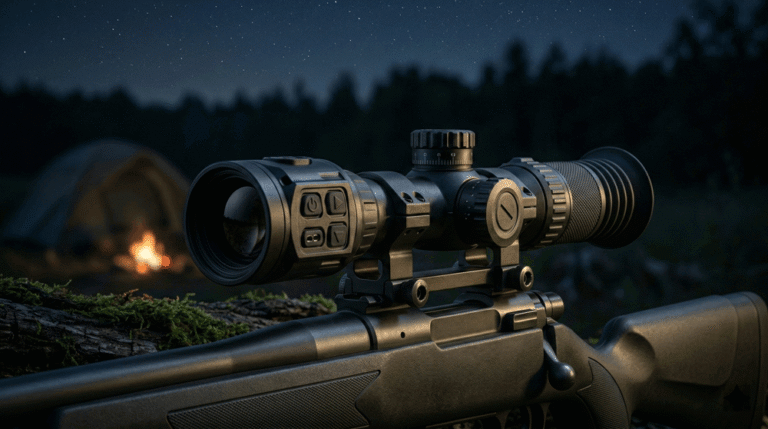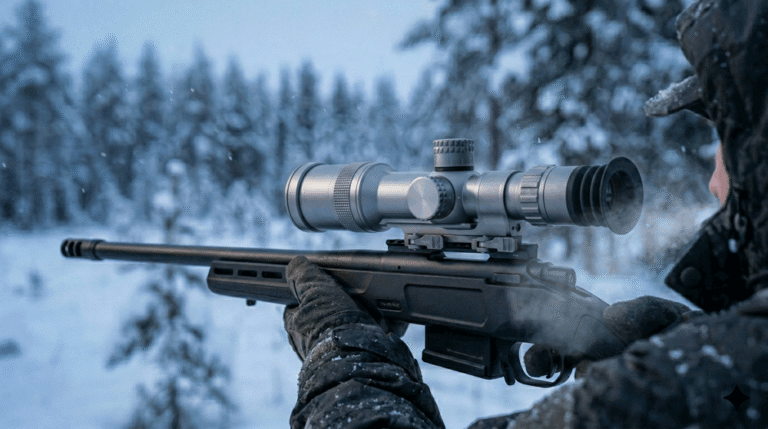
A thermal rifle scope can be technically strong and still lose in the market for one reason: it feels annoying. In B2B channels, “annoying” becomes expensive fast. Dealers hesitate to reorder, distributors demand more handholding, reviewers focus on usability friction instead of image quality, and returns rise even when the unit is not defective.
Table of Contents
ToggleFor OEM/ODM programs, UI is not just the menu. UI is the entire interaction system: boot behavior, button mapping, zoom and palette control, NUC behavior, zeroing workflow, profile logic, recording reliability, and firmware version consistency. If those behaviors are not specified as verifiable requirements, they will drift across firmware revisions, differ across batches, and become a silent driver of dealer returns.
This article defines practical UI requirements that B2B procurement and product teams can include in an RFQ in a way that is measurable, testable, and stable across sample-to-mass production. It is designed to work alongside the pillar article, Thermal Rifle Scope OEM Specification Guide, and the sourcing companion, Thermal Rifle Scope Datasheet Guide for Procurement. If your tier ladder is still being shaped by optics trade-offs, keep Thermal Scope FOV and Base Magnification Strategy for OEM Brands in view, because optics experience and UI workflow must reinforce each other.
If you want a program-level reference for delivery discipline and production consistency, see Thermal Rifle Scopes OEM/ODM and Manufacturing & Quality. If you want UI requirements to directly reduce after-sales friction, align early with Warranty so workflows and expectations remain coherent from RFQ to dealer training.
Why UI creates returns when hardware is fine
In retail-like dealer environments, the first impression of a thermal rifle scope is dominated by interaction, not engineering. Dealers shoulder the unit, power it on, pan across a scene, change zoom and palette, and ask a simple question: “Can I demo this in 60 seconds without explaining a manual?” If the answer is no, the product is perceived as risky. That perceived risk becomes slow sell-through and, later, higher returns.
The key point is that most “UI returns” are not categorized as UI returns. They show up as vague claims: “image is not stable,” “range is not as expected,” “hard to use,” “battery drains fast,” “recording doesn’t work,” or “won’t hold zero.” Some of those issues can be real defects, but a surprisingly large portion are workflow issues: the user is operating the product incorrectly because the UI makes the correct action non-obvious. The moment a dealer sees repeated confusion, they stop pushing the SKU.
This is why UI must be treated as a business requirement. A stable, simple UI reduces the probability of misunderstanding, and it reduces return rates even when the underlying sensor and optics remain unchanged.
The common RFQ mistake: asking for features instead of behaviors
Many OEM RFQs specify UI using a feature checklist: “supports recording,” “supports multiple palettes,” “supports multiple reticles,” “supports app.” That wording is easy for suppliers to agree to, but it is also why post-sample disputes happen. Features do not define how the product behaves, how fast it responds, how many steps actions require, and whether the behavior stays the same after firmware updates.
B2B brands do not need the longest feature list. They need a UI that is predictable in the field. That predictability can be specified using behavioral constraints and acceptance criteria that procurement can verify in samples and pilot batches. When you do that, you shift the supplier conversation away from marketing and toward controllable delivery.
Start experience: boot-to-image is a premium cue
Boot-to-image is often the first “quality cue” a dealer or user experiences. A slow boot feels unfinished, even if image quality is strong after the unit stabilizes. For B2B channels, slow boot reduces demo effectiveness and increases returns because buyers interpret it as overall poor performance.
A strong requirement does not need to be complicated, but it must be defined. “Boot time” should mean “time to a usable thermal image,” not “time until a logo appears.” It should be measured under defined conditions and repeated across multiple units. It should also consider edge cases that happen in real life, such as low battery warnings and cold-weather behavior.
When you specify boot behavior, you are really specifying whether the product feels ready when the user needs it. This matters even more in night hunting because users do not tolerate uncertainty when they are trying to acquire a target quickly.
Buttons and control logic: the UI is physical
In thermal hunting, many key interactions are done by feel, not by sight. Zoom steps, palette changes, NUC control, start/stop recording, and profile switching are often executed while the user keeps their eyes on the scene. That means button design is not industrial design decoration; it is part of usability and thus part of return control.
A return-resistant UI has physical controls that are learnable quickly and behave consistently. Buttons should be tactically distinguishable, usable with gloves, and mapped so core actions can be performed without deep menu navigation. The press logic must also be stable; if “short press” and “long press” meanings shift across screens or across firmware versions, dealer training becomes unreliable and user confusion becomes support cost.
Noise is another reality factor that B2B teams often ignore. In night hunting scenarios, loud button clicks become a real complaint. You do not have to specify decibels, but you should specify that control interaction noise should be minimized and consistent, and verify it in sample reviews with your own dealer demo script.
Menu depth: fewer steps beats more options
Many returns happen because the user experiences friction at the worst moment: a target appears, and the user cannot quickly change zoom, palette, or a core setting without interrupting the flow. The problem is not that the scope lacks features. The problem is that the UI requires too many steps for high-frequency actions.
A procurement-friendly way to specify this is to define constraints around “high-frequency workflows,” not around the entire menu architecture. The brand does not need to dictate how every submenu looks. The brand does need to dictate that core actions are fast, consistent, and reachable without deep nesting.
You can also specify that the UI must be learnable in a dealer demo. If a sales rep cannot demonstrate zoom, palette, NUC, and recording quickly, the SKU will be harder to sell. That is a channel fact, not a UI preference.
Zeroing workflow: the biggest source of false defect returns
If there is one UI area that causes expensive “false defect” returns, it is zeroing. A confusing zeroing process makes users believe the scope will not hold zero. Dealers then face disputes that are hard to resolve because the customer does not trust the product anymore.
A robust zeroing UI should make three things unmistakably clear: which profile is active, whether changes have been saved, and how the user can recover from mistakes. Save confirmation must be explicit. Accidental overwrite must be protected by confirmation. A last-saved rollback mechanism is highly valuable because it reduces panic and prevents needless returns after one mistaken session.
Zeroing also interacts with optics strategy. A higher base magnification makes wobble and reticle movement more visible. If the UI does not guide the user clearly, that normal wobble becomes interpreted as “unstable product.” This is why your UI requirements should be written with your tier ladder in mind.
Profiles: SKU credibility depends on profile discipline
Multi-rifle profiles sound simple, but profile confusion is a common support burden. Users change settings for one rifle and unknowingly apply them to another, then report performance issues. Dealers get blamed, and the brand eats return costs.
Instead of specifying “supports X profiles,” specify how profiles behave. Procurement should require that the active profile is always visible, that each profile stores the correct set of independent parameters (at minimum the zero), and that profile switching is not a multi-step puzzle. If you want to reduce returns in beginner-heavy channels, consider a profile lock option or a clear “reset to last saved” behavior.
The more explicit you are here, the fewer disputes you will have later—especially when firmware updates introduce changes to how profiles are displayed or stored.
NUC policy: make it predictable, not mysterious
NUC (Non-Uniformity Correction) is a normal thermal behavior, but users often interpret it emotionally. If NUC triggers unexpectedly at the wrong moment, users call the product “buggy.” If the image shifts in a way that feels inconsistent, users call it “unstable.”
A good RFQ does not need to define calibration algorithms, but it should define user-visible policy. That includes whether auto NUC exists, whether manual control exists, how the user triggers it, and what the UI shows during NUC. It should also define whether NUC interrupts recording or causes file instability.
This is not over-specifying. It is preventing the common scenario where one firmware revision triggers auto-NUC more frequently than another, causing dealers to face “same model, different behavior” complaints.
Recording and connectivity: reliability matters more than features
Recording is a reputational feature. When it fails, customers generalize that failure to the whole product. In many markets, customers also expect recording to be easy because it is tied to sharing and content creation. That means recording reliability must be specified as a workflow outcome, not as a checkbox.
Procurement should require that recording start/stop is predictable, that file integrity is stable over repeated cycles, and that recording does not destabilize the core thermal viewing experience. If the device becomes laggy or crash-prone when recording is enabled, dealers will treat it as unreliable regardless of image performance.
Connectivity and app features can be valuable for marketing, but they multiply support load. The safest B2B stance is to require that the scope remains fully usable without the app, and that app connectivity never compromises core viewing performance. App compatibility boundaries should be defined, and firmware updates must follow a discipline that avoids “breaking” the app unexpectedly.
Firmware governance: UI stability is a procurement requirement
In OEM programs, UI stability is inseparable from firmware governance. If firmware versions are not tracked, if release notes are not provided, and if change control is informal, you will eventually see drift. Drift shows up as changed menu paths, altered image processing, different NUC behavior, or different profile logic. Dealers then cannot train users consistently, and support costs rise.
A procurement-ready requirement here is not “no updates.” It is “controlled updates.” The supplier should provide visible version identification, provide release notes that explain workflow-affecting changes, and follow a change notification process. This is part of why B2B buyers evaluate delivery discipline through pages like Manufacturing & Quality and partner commitments like Thermal Rifle Scopes OEM/ODM. Stable governance reduces returns more effectively than any single feature.
RFQ appendix: UI requirements that are actually verifiable
Below is the single table you can copy into an RFQ appendix. It focuses on behaviors that directly impact dealer returns. You can verify each item during samples and pilot batches using a simple scripted walkthrough and stress tests. This is intentionally not an exhaustive UI list; it is a return-control list.
| UI requirement area | Verifiable requirement wording | Sample/pilot verification method |
|---|---|---|
| Boot to image | max time to usable thermal image under defined condition | repeated stopwatch test across units |
| Core workflow friction | max steps for zoom, palette, NUC, recording, zeroing entry | scripted dealer-demo walkthrough |
| Control usability | glove usability + consistent press logic + low accidental triggers | hands-on usability trials + carry/bump checks |
| Zeroing safety | explicit save confirmation + overwrite protection + rollback option | repeated zeroing cycles + rollback validation |
| Profile clarity | active profile always visible + independent zero storage | profile switch tests + cross-check storage |
| NUC predictability | defined auto/manual policy + clear indicator during NUC | observation under controlled scenarios |
| Recording reliability | stable file integrity + no crashes across repeated cycles | stress recording cycles + file integrity review |
| Version control | firmware version visible + release notes required for workflow changes | UI version check + doc pack review |
| Reset/recovery | defined reset behavior and recovery path | controlled reset test + workflow check |
If you keep this appendix consistent across suppliers, you will be able to compare offers based on controlled behavior rather than promises.
FAQ
Why do customers return thermal scopes even when image quality is good?
Because the scope feels slow, confusing, or inconsistent under pressure. Common triggers are slow boot, deep menus, confusing zeroing and profiles, unpredictable NUC, and unreliable recording. These create “not as expected” returns that look like defects even when the hardware is fine.
Which UI workflow causes the most expensive disputes?
Zeroing and profile management. If the user cannot clearly save and confirm the active profile, they will report “won’t hold zero,” and the dealer will struggle to resolve it.
How can procurement verify UI claims from a supplier?
By requiring behavioral constraints that can be tested in samples and pilot batches. Boot-to-image timing, steps required for core actions, profile behavior, and recording stability can all be verified with scripted walkthroughs and stress tests.
Do UI requirements really matter as much as sensor and optics?
In channel outcomes, often yes. Sensor and optics define capability, but UI defines satisfaction. A product that is powerful but annoying returns; a product that is usable sells and gets reordered.
How do firmware updates affect dealer returns?
If firmware updates change workflows without disciplined release notes and change control, dealers cannot train consistently and users feel the product is unstable. Version governance must be part of the procurement requirement.
Call to action
If you share your target segments (close-range hog, mixed predator, open-country coyote), your channel model, and your tier ladder, we can translate those into a procurement-ready UI appendix that suppliers can respond to consistently. That appendix can include a dealer demo script, sample acceptance walkthrough, and the governance rules needed to prevent firmware-driven drift after launch.
Send your requirements via Contact. If you need the full OEM specification framework to align UI with optics strategy and DRI claims, start with Thermal Rifle Scope OEM Specification Guide.
Related posts (Series 1 only)
- Thermal Rifle Scope OEM Specification Guide
- Thermal Rifle Scope Datasheet Guide for Procurement
- Thermal Scope DRI Range Requirements for OEM Programs
- Thermal Scope FOV and Base Magnification Strategy for OEM Brands
- Thermal Rifle Scope UI Requirements to Reduce Dealer Returns
- Thermal Rifle Scope RFQ Checklist for OEM Sourcing