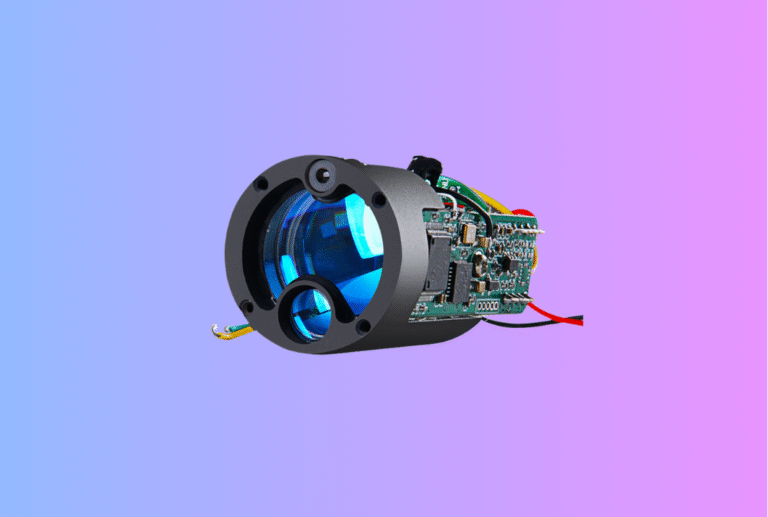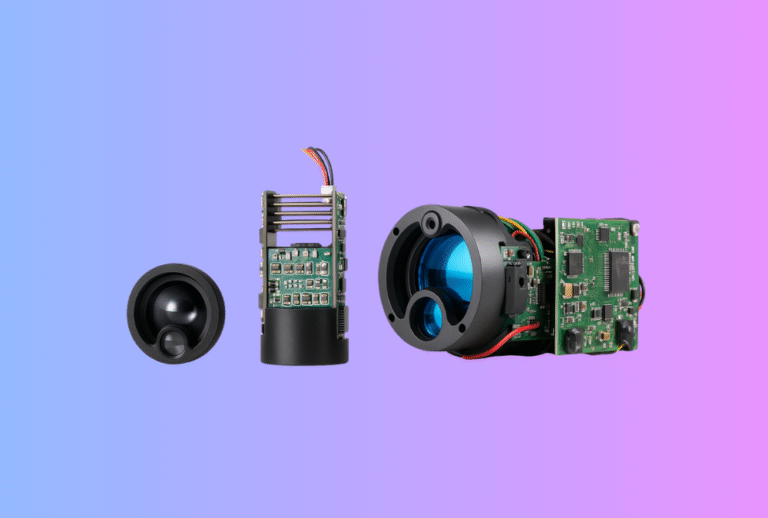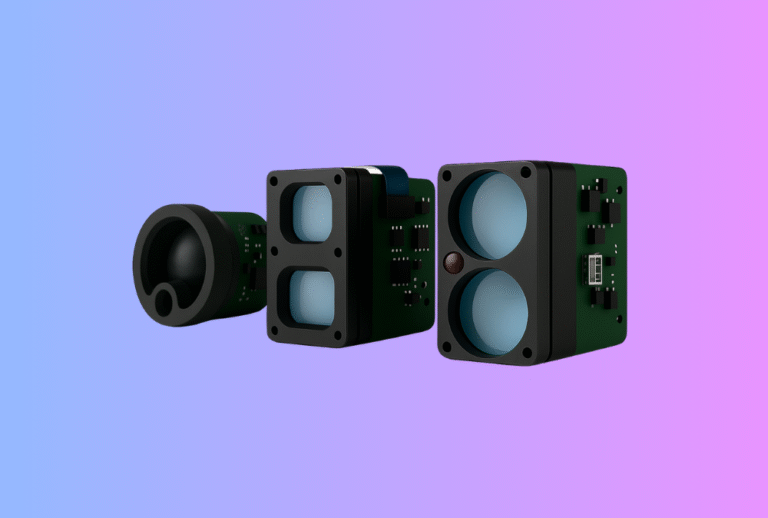
A thermal camera module interface is not just a connector choice. For OEM buyers, it is one of the decisions that most directly affects integration speed, software workload, hardware complexity, product responsiveness, and long-term maintainability. Many teams focus first on image quality, resolution, or sensitivity, which is understandable. But once the project moves beyond sample evaluation, the interface often becomes the point where development either accelerates smoothly or slows down into repeated workaround cycles.
Table of Contents
ToggleThat is why a thermal camera module interface guide should begin with one principle: the best interface is not the one that looks most advanced on paper. It is the one that fits the final product architecture, the host processor, the software resources of the team, the expected user experience, and the production plan. A module with strong image quality can still become a poor commercial choice if the interface creates hidden cost in firmware, unstable control behavior, or unnecessary redesign.
In practical OEM work, interface decisions usually influence more than one layer of the product. They affect how video reaches the display or processor, how commands are sent to the module, how settings are managed, how debugging is performed, and how the product is validated during engineering and pilot builds. This is why interface selection should never be treated as a minor implementation detail. It is a strategic design decision.
Why interface selection matters so much
Many OEM teams do not feel the weight of the interface decision during the first days of a project. A sample module is connected in a simple lab setup, a thermal image appears, and it seems that the hardest part has already been solved. But once the module has to work inside the actual host system, with the actual processor, operating logic, enclosure constraints, and product schedule, the interface begins to shape the entire program.
A weak interface fit creates friction in many ways. It can increase software complexity, delay bring-up, complicate manufacturing tests, reduce responsiveness, and make field support harder later. A strong interface fit does the opposite. It makes system behavior clearer, shortens early debugging, simplifies host control, and helps engineering teams move faster from sample evaluation to a stable product baseline.
For B2B buyers, this is especially important because interface problems rarely appear as a single dramatic failure. They usually appear as accumulated inefficiency. The team spends extra time on driver work. A feature is delayed because command behavior is unclear. Debugging becomes harder because video and control paths are not cleanly separated. Production tests take longer because the system is harder to initialize predictably. None of these issues may look severe in isolation, but together they can materially affect launch timing and engineering cost.
Start with system architecture, not with interface names
When buyers ask which thermal camera module interface is best, the honest answer is that no interface is best in isolation. USB, UART, MIPI, SPI, Ethernet, parallel output, and other pathways all make sense in certain product architectures. The real question is which interface best serves the final device.
This is why teams should begin with a system-level view. What processor or host platform will control the product? Will thermal video be displayed directly, recorded, streamed, analyzed, or combined with other sensor data? Does the device need a full operating system or a lighter embedded architecture? Is the product battery powered? Is fast prototyping more important in the early stage, or is the team already trying to align tightly with the intended production design? These questions matter more than the interface label itself.
A common mistake is choosing the interface that is easiest to demonstrate in the lab rather than the one that fits the final product. A USB-based evaluation path may be perfect for quick development, but if the final architecture is built around a different embedded video path, then the team may be solving the problem twice. On the other hand, selecting a low-level interface only because it appears more “professional” can also be a mistake if it stretches the software team beyond the project schedule. Interface selection should be anchored in the real host design and the real business timeline.
Separate video output from command and control
One of the most useful ways to think about a thermal camera module interface is to separate video output from command and control. These two functions are related, but they are not the same, and OEM teams often run into trouble when they treat them as a single topic.
Video output is the path that carries thermal image data to the host system, display pipeline, or recording logic. Command and control is the path that lets the host configure the module, change modes, adjust image parameters, read status, and manage operation. In some products, both functions travel over a simple and familiar path. In other products, they are separated across different buses or control layers. The right architecture depends on the host system and the required user experience.
This distinction matters because a team may solve video bring-up early and still remain far from full product readiness. A live thermal stream is only part of the system. The host still needs to initialize the module, manage settings, control operating states, and respond to real-world behaviors such as startup, standby, reset, and parameter changes. When buyers evaluate an interface, they should therefore ask not only how the image gets out, but also how the product will actually control the module over time.
USB as a development-friendly path
USB is often attractive because it supports fast bring-up and relatively straightforward evaluation in many development environments. It can be a practical interface when the product architecture includes a host that already handles USB well, or when the team wants to accelerate early software validation and test workflows.
The strength of USB is convenience. For some OEM projects, it reduces the friction of early image access, allows easier lab verification, and shortens the path to a visible demo. This can be especially helpful when teams need to confirm optical direction, basic image quality, or user-interface concepts before deeper product decisions are finalized.
But USB is not automatically the right production choice. Its suitability depends on the host platform and the final device architecture. If the end product uses a processor or system design that does not naturally align with USB video and control, then early convenience may create later migration work. Teams should therefore ask whether USB is being chosen because it is correct for the final product, or simply because it is convenient for the first month of development.
For B2B buyers, the practical lesson is not to avoid USB, but to use it intentionally. It can be a very good interface when it fits the product. It can also be a useful evaluation bridge. But it should not be allowed to define the architecture by accident.
UART and serial control for structured host management
UART and related serial pathways are commonly used for command and control because they provide a relatively straightforward way for the host to communicate with the module. In many designs, this is where initialization, parameter setting, mode control, and status exchange happen. For OEM products, this control path can be just as important as the video path itself.
The value of serial control is not glamour. It is clarity. A stable serial command structure can make the behavior of the module more understandable, which helps software teams design repeatable initialization sequences and controlled product logic. In a mature product, that matters because users expect the device to behave consistently every time it powers on, every time it changes mode, and every time it enters a special operating state.
That said, UART itself does not solve complexity unless the documentation and command model are strong. A module may offer serial control, but if commands are incomplete, inconsistent, or poorly described, then the benefit disappears quickly. For buyers, this means interface evaluation should always include documentation review. It is not enough to ask whether a control interface exists. The real question is whether the host team can work with it efficiently and predictably.
MIPI and high-efficiency embedded video paths
MIPI is often considered in embedded products because it can support an efficient video path between the thermal camera module and the host processor. In projects that require a tighter embedded architecture, lower-level video handling, or stronger alignment with modern processor ecosystems, MIPI can be a strong option.
The reason teams look at MIPI is not only performance. It is also architectural fit. If the final product is designed around an embedded processor that already expects this kind of camera interface, then using it may simplify the long-term system design. It can support a more production-aligned architecture and may reduce the need for intermediate conversion layers.
However, MIPI is not always the right path for every OEM team. It usually asks more from the software and hardware side than a simple lab-friendly interface. Driver work, processor compatibility, debugging capability, and signal handling all need to be considered realistically. For a team without enough embedded camera integration experience, MIPI can lengthen development even if it looks elegant in the architecture diagram.
That is why B2B buyers should evaluate MIPI in terms of readiness, not just desirability. If the host processor, software team, and project schedule are all aligned, it can be excellent. If not, it can become one of those decisions that is correct in theory and expensive in execution.
SPI and lower-bandwidth control or compact designs
SPI is often encountered in more compact, lower-bandwidth, or control-oriented embedded designs. In some cases it is part of a minimalist architecture where the host system does not need a rich video pipeline, or where the product is focused on narrower data handling rather than a full real-time imaging experience.
Its appeal is often simplicity at the board level and its familiarity in embedded systems. But as with every interface, what matters is not whether SPI exists in the module documentation. What matters is whether it is suitable for the product’s actual image, data, and control requirements. A team that expects a smooth thermal video experience, responsive UI behavior, and broader system features may find that a simpler bus becomes restrictive unless the architecture was designed carefully around it.
For some products, especially early proof-of-concept platforms or narrowly defined sensing tools, this may be acceptable. For broader OEM products, buyers should be cautious about assuming that a lower-complexity bus automatically means lower project risk. Sometimes it means the opposite, because the host architecture later has to compensate.
Ethernet and networked thermal systems
Ethernet becomes relevant when the thermal camera module is part of a networked device, an industrial endpoint, or a product expected to integrate into a larger connected system. In those cases, the value of the interface is not only data transport. It is also deployment flexibility, system connectivity, and sometimes distance or infrastructure compatibility.
For industrial and security-oriented OEM products, this can be especially important. A product that needs to communicate over broader system infrastructure may benefit from an interface model that fits that deployment reality better than a purely local embedded bus. But Ethernet should be chosen for architectural reasons, not because it feels robust by default. It brings its own software, latency, integration, and management considerations, and these need to align with the product mission.
In other words, Ethernet makes the most sense when the product itself is part of a networked thermal solution rather than simply a local thermal viewing device. Buyers should ask whether the product is fundamentally embedded and self-contained, or whether it is expected to behave as a network node inside a broader system.
Comparing interface choices in practical OEM terms
The most useful way to compare interfaces is not by prestige, but by how they affect development and product behavior.
| Interface direction | Typical strength | Typical risk |
|---|---|---|
| USB | Fast evaluation, easier early bring-up, convenient lab workflows | May not match final embedded architecture |
| UART / serial | Clear command and control path, manageable host logic | Depends heavily on documentation quality |
| MIPI | Strong fit for embedded video architectures | Higher integration and debugging burden |
| SPI | Compact embedded control or narrow data handling | Can become restrictive for richer product behavior |
| Ethernet | Useful for networked or infrastructure-connected products | Adds software and system-management complexity |
This table should not be read as a universal ranking. It is only a reminder that interface choice is always a trade-off between convenience, control, architectural fit, and engineering burden.
Latency, responsiveness, and user experience
Interface decisions also shape user experience more than many buyers first expect. When a product needs to feel responsive, especially in handheld devices, dynamic observation tools, or moving platforms, the interface path affects how quickly thermal information reaches the display or host logic and how smoothly commands are reflected in operation.
A product can have a good thermal core and still feel slow, clumsy, or inconsistent if the interface path adds too much complexity or delay. This is why interface evaluation should not stop at the question of whether data can move. The team should ask how the product feels in real use. How fast does it start? How quickly does the host initialize the module? How much delay exists between the scene and the displayed response? How predictable is the behavior when users change settings or operating modes?
For B2B customers, this matters because poor responsiveness is not only a technical annoyance. It changes the market impression of the finished product. A system that feels slow or awkward may be perceived as lower quality even if its thermal image capability is fundamentally sound.
Interface choice affects software workload
A thermal camera module interface is also a software staffing decision. Some interface paths reduce development effort because they align well with the host platform and available engineering resources. Others increase effort because they require custom driver work, more extensive debugging tools, deeper processor expertise, or more complicated state management.
This is one of the most important realities for OEM buyers. The interface that looks cheaper at purchase stage may actually be more expensive when engineering time is included. Likewise, an interface that looks more complex in the datasheet may reduce long-term cost if it fits the product architecture properly and avoids rework later.
This is why interface selection should be made with both hardware and software teams in the room. If either side makes the decision in isolation, the project may optimize for the wrong thing. The right interface is the one that the whole product team can support within the target schedule and the target business case.
Interface documentation is part of the product
OEM buyers sometimes focus on the physical interface and forget that documentation quality is part of the interface itself. A bus definition without clear command descriptions, timing expectations, startup sequences, status behavior, and revision tracking is not a mature interface from the perspective of product development.
In practical terms, documentation quality often determines whether the host team can move quickly. Good documents reduce ambiguity. They help software teams build predictable initialization logic, help hardware teams avoid power and signaling mistakes, and help test teams define repeatable validation routines. Weak documents create hidden delay because every unresolved question must be answered experimentally.
This is why a strong thermal camera module supplier does more than say that an interface is supported. A strong supplier explains how it is supposed to be used, what assumptions matter, what startup behavior should be expected, how revisions are tracked, and what limitations the team should understand before committing the architecture.
Plan for validation, not only for bring-up
A surprising number of interface decisions are made based only on how quickly the first demo can be built. That is understandable, but incomplete. Interface choices should also be judged by how easy they make validation, pilot build support, production testing, and long-term maintenance.
This matters because a workable interface in the lab is not necessarily a good interface in manufacturing or service. If initialization is fragile, if debugging hooks are poor, or if control behavior depends on undocumented sequences, then validation becomes slower and pilot builds become more exposed to variation. Buyers should therefore ask how the chosen interface will behave not only in development, but across the whole product lifecycle.
The best interface choice often becomes obvious when viewed through this broader lens. It is the one that not only allows the image to appear, but also supports a clean path through development, validation, production, and field support.
Common interface mistakes OEM buyers should avoid
A common mistake is choosing the interface that is easiest for sample testing and then forcing the final product to adapt around it. Another is choosing the most technically sophisticated interface without enough regard for team readiness. Both decisions can create avoidable cost.
A second mistake is failing to distinguish video output from module control. Teams sometimes validate the image path and assume the interface question is already solved, only to discover later that command behavior, startup sequencing, or status management is much harder than expected.
A third mistake is underestimating documentation. An interface is only as useful as the team’s ability to implement and validate it. If the supplier’s documents are weak, the apparent simplicity of the hardware path can be misleading.
A fourth mistake is ignoring how interface choice affects product feel. Latency, responsiveness, mode switching, and stability all shape the customer’s impression of quality.
A fifth mistake is treating interface selection as an isolated engineering topic rather than a cross-functional product decision. In strong OEM projects, interface choice is made with input from hardware, software, product, and validation teams together.
How B2B buyers should discuss interface requirements with suppliers
When speaking with suppliers, buyers should go beyond asking which interfaces are available. A more useful discussion begins with the host architecture, product type, and expected user behavior. The supplier should understand whether the product is a handheld device, an industrial system, a UAV payload, a security node, or another application type, because the right interface guidance depends heavily on that context.
Buyers should also ask practical questions. Which interface is most aligned with the intended host? How is video handled? How is command control handled? What software support is provided? What documentation is available for bring-up and validation? What is the recommended pathway for a quick proof of concept, and what is the recommended pathway for production alignment? These questions produce much more useful answers than simply asking for a list of supported buses.
A good supplier relationship should reduce interface ambiguity. The best support is not generic. It is product-aware and architecture-aware.
Choosing the right interface in commercial terms
In the end, the right thermal camera module interface is not the one that sounds most impressive. It is the one that helps the OEM team launch a stable product with controlled development cost and manageable integration risk. Some teams will benefit from a fast evaluation path first and a more production-aligned path later. Others should align with the production interface from the beginning. The correct answer depends on the maturity of the project, the capability of the team, and the architecture of the final device.
This is why B2B buyers should treat interface selection as part of product strategy. It affects time to market, engineering workload, validation efficiency, and even how premium the final device feels in the hands of the customer. A thermal camera module interface is not just a technical parameter. It is part of the business case of the whole product.
FAQ
What is the most important thing when choosing a thermal camera module interface?
The most important thing is whether the interface fits the final host architecture, software capability, and product timeline. The best interface is the one that supports the real product, not just the sample stage.
Is USB always the easiest option?
USB is often convenient for evaluation and early bring-up, but it is not always the best fit for the final embedded architecture. It should be used intentionally, not by default.
Why should video output and command control be considered separately?
Because displaying thermal video does not mean the host can fully manage the module. The product also needs reliable control for initialization, settings, status handling, and operating modes.
Is MIPI better than USB or UART?
Not inherently. MIPI can be an excellent embedded video path when the processor and team are ready for it. But if the architecture or schedule does not support that complexity, it may increase project risk.
Why does documentation matter so much?
Because the interface is only useful if the engineering team can implement it predictably. Clear documents reduce ambiguity, shorten bring-up, and improve validation efficiency.
What is the biggest interface mistake?
The biggest mistake is choosing an interface for short-term convenience without checking whether it fits the final product architecture and the team’s real development capability.
CTA
Choosing the right thermal camera module interface is not only about supported buses or connector types. For OEM buyers, the real goal is to match the module interface to the host architecture, software resources, product behavior, and validation plan. A correct interface decision early in development can save significant time, cost, and redesign effort later.
If you would like to discuss thermal camera module interface options, host integration requirements, or sample evaluation, please visit CONTACT.