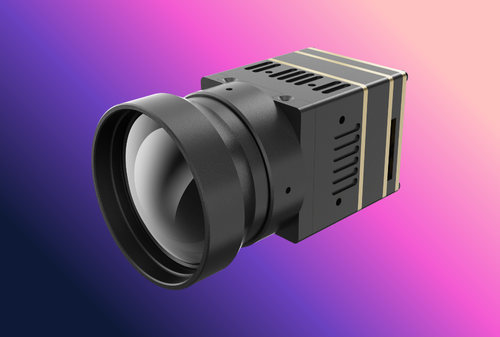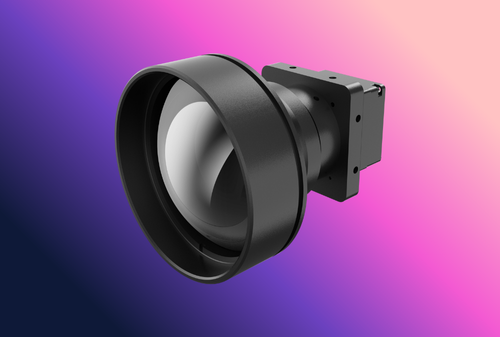
A thermal camera module becomes truly useful when it streams clean, low-latency video into phones, VMS software, or edge boxes. Whether you start from a thermal imaging camera core or a compact thermal image sensor module, this guide shows how to wire protocols, choose ONVIF/RTSP profiles, set encoder/bitrate, and verify glass-to-glass latency—using the same discipline we apply across Thermal camera module products and integration kits on Module Integration for OEMs.
Table of Contents
ToggleExecutive Summary
For dependable streaming, make four decisions explicit: (1) transport (RTP/UDP for lowest latency; RTP/TCP for lossy links; HTTP-tunneled RTSP only as a last resort); (2) ONVIF profile (S for basic H.264, T for H.265/eventing/metadata); (3) encoder ladder (resolution, frame rate, bitrate, GOP); and (4) time & discovery (WS-Discovery + NTP). Publish a one-page acceptance card and store golden PCAP/RTSP logs for each release under Downloads.
Use Cases & Buyer Scenarios
Scenario 1 — Handheld to mobile app (Wi-Fi STA/AP)
Users watch live thermal on a phone while recording snapshots. Prioritise <250 ms glass-to-glass latency, steady 8–12 fps for 640×512 (mobile decoders), and clean reconnect after RF drops. Pair with product families listed under Products.
Scenario 2 — Security VMS via ONVIF
Integrators want plug-and-play discovery, time sync, and PTZ/metadata. Use ONVIF Profile S or T with digest auth, WS-Discovery, and RTSP over UDP by default. Provide a conformance sheet and sample XMLs in Support.
Scenario 3 — Edge AI box / vehicle network
Deterministic feeds to an edge computer on 100BASE-TX/PoE. Fix frame cadence, lock GOP, and stamp monotonic PTS. If your rig also carries a rangefinder, follow our fusion notes at Thermal + LRF Fusion & Ballistics.
Spec & Selection Guide (the heart)
Key parameters (definitions + why they matter)
| Parameter | Definition | Typical target | Why it matters |
|---|---|---|---|
| Transport | RTP over UDP/TCP; RTSP control channel | UDP default; TCP fallback | UDP cuts jitter; TCP survives Wi-Fi/4G loss |
| ONVIF profile | S (H.264), T (H.265/analytics), G (recording) | S or T for live | Interoperability with VMS and NVRs |
| Encoder | H.264/AVC or H.265/HEVC; MJPEG for debug | H.264 baseline/main for phones | Trade quality vs compute and power |
| Bitrate (CBR/VBR) | Target kbps + buffer; GOP = I + (P/B) | 640×512@30: 1.5–3 Mbps (H.264) | Too low → banding/blocking; too high → drops |
| GOP / keyframe interval | I-frame period in frames or seconds | 1 s (e.g., 30 at 30 fps) | Recovery after loss; seek speed |
| Color/AGC | 14-bit → 8-bit mapping; palette | Local AGC, iron/white-hot | Legibility and encoder efficiency |
| Latency budget | Sensor→ISP→encode→network→decode→display | <250 ms handheld; <400 ms VMS | Human perception & control loops |
Quick selection rules
- If the viewer is a phone/tablet, then prefer H.264, 640×512 @ 8–15 fps, 1–2 Mbps, GOP 1 s, RTP/UDP with TCP fallback.
- If the viewer is a VMS/NVR, then expose ONVIF Profile S/T, CBR 2–4 Mbps, multicast on LAN, WS-Discovery + NTP.
- If the link is lossy or over WAN, then switch to RTP/TCP, shorten GOP (0.5 s), and enable error concealment.
Integration & Engineering Notes
Electrical & Interfaces
Ethernet/PoE. 10/100BASE-TX with 802.3af PoE keeps wiring simple; spec budget headroom (module + encoder + heater). Keep PHY layout away from sensor analog, and shield the RJ45 shell to the chassis. Wi-Fi. For handhelds, STA mode to a known SSID or AP mode for direct connect; hide the RTSP port behind a QR-code URI in your app. USB. If your core exposes UVC/YUY2 or H.264, treat it as a debug path; RTSP over Ethernet scales better.
Optics & Mechanics (thermal-specific)
NUC (shutter) pauses cause visible frame stalls—announce them in the RTSP metadata or desensitise the encoder during a NUC. Keep the window hydrophobic and AR-coated for legibility. If your device also houses a rangefinder, align the boresight and overlay discipline described in Thermal + LRF Fusion & Ballistics.
Firmware/ISP/Tuning
- AGC. Use local AGC with clipping guards; stable histograms compress better and reduce pumping.
- Palette. White-hot or iron compresses efficiently; avoid rapid palette changes during streaming.
- Encoder ladder. Offer at least two: 640×512@8–15 fps (1–2 Mbps) and 320×256@15–30 fps (0.3–0.8 Mbps). H.265 halves bitrate but increases decode cost.
- GOP & VBV. Set keyframe every 1 s; VBV buffer ≈ 1–2× target bitrate for smoothness; prefer CBR for VMS.
- Timestamps. Stamp PTS/DTS monotonically and sync clock via NTP; expose timezone and DST in ONVIF Device service.
- Security. RTSP digest auth; disable basic auth; rotate credentials; allow TLS interop if your stack supports RTSPS.
Testing & Validation (bench → field)
Acceptance targets (illustrative). Glass-to-glass <250 ms (handheld) or <400 ms (VMS); packet loss <0.5% over 5 min; re-connect <3 s after AP loss; keyframe interval within 10%; CPU headroom >20% at max profile.
Latency. Film a flashing LED with the module and the phone screen in the same video; measure frame offset. Robustness. Walk-test Wi-Fi; pull LAN and re-connect; check ONVIF events for “network lost/restored.” Bitrate/quality. Sweep 0.5→4 Mbps and log blocking/blur; verify VBV stability. Time/Discovery. Confirm WS-Discovery shows the device; NTP sync within 1 s over 24 h. Interoperability. Test with VLC, ffplay, Milestone/Exacq (Profile S), and an ONVIF Device/Media test tool; archive PCAP/RTSP DESCRIBE/SETUP/PLAY sequences in Downloads.
Compliance, Export & Certifications
Streaming products ship with EMC and safety marks (CE/FCC/UKCA), RoHS, and—where applicable—ONVIF conformance declarations. For export, many uncooled cores fall under dual-use rules (e.g., EAR 6A003/6A993 categories); check your jurisdiction before shipment. Maintain privacy features (passwords, disable default creds, opt-in metadata). Public certs and warranty terms belong on Certificates and Warranty.
Business Model, MOQ & Lead Time (OEM/ODM)
We ship thermal streaming kits with pre-set RTSP/ONVIF profiles, QR-code URIs, and sample apps. Typical MOQs: 100–300 pcs for catalog optics; 500–1,000 pcs for custom encoders/PoE boards. EVT 4–6 weeks (catalog); add 6–10 weeks for custom hardware. Explore bundles on Modules and families on Products.
| Option | Pros | Cons | Use when… |
|---|---|---|---|
| H.264 / RTP-UDP | Lowest latency; broad decode support | Packet loss shows as macro-blocks | Local LAN/Wi-Fi with reasonable SNR |
| H.264 / RTP-TCP | Survives loss; traverses firewalls | Higher jitter/latency | WAN links, 4G routers |
| H.265 / RTP-UDP | ~40–50% bitrate saving | Decode cost on low-end phones | Edge AI boxes; NVRs |
| MJPEG / HTTP | Debug-simple; intra-only | High bitrate; poor efficiency | Lab bring-up only |
Pitfalls, Benchmarks & QA
- Variable frame rate without proper timestamps. Causes audio/video drift in recorders; lock cadence.
- Huge GOPs (e.g., 4–5 s). Slow seek/recovery; cap at ~1 s for responsive UIs.
- “Unlimited” VBR. Peaks overwhelm Wi-Fi; prefer CBR or capped VBR.
- No NTP. Time jumps break recordings and signatures.
- Ignoring NUC impact. Shutter pauses look like freezes; flag them in metadata or during RTSP “info.”
- Default passwords. Blocked by many VMS/security buyers; force change at first boot.
- Wrong YUV/range. Crushes dark detail; test studio vs full range mappings.
FAQs
Q: What bitrate should I start with for 640×512?
H.264 at 1.5–2.5 Mbps and 8–12 fps gives a solid baseline for phones; increase to 3–4 Mbps for 30 fps or analytics.
Q: Which ONVIF profile should I claim?
Profile S covers H.264 live; Profile T adds H.265, events, and advanced metadata. Declare only what you test and publish a conformance sheet.
Q: Can I multicast?
Yes on LANs/NVRs; expose an IGMP toggle and document the group/TTL. Avoid multicast across Wi-Fi APs unless you control the network.
Q: How do I measure glass-to-glass quickly?
Record a flashing LED and the screen in the same video, then count frames; repeat at different bitrates and transports.
Q: Does HEVC always beat AVC?
Not on older phones or low-power decoders. HEVC saves bitrate but may raise latency/CPU. Offer both ladders.
Decision Flow — from bring-up to acceptance
Start
  ├─ Viewer? phone / VMS / edge box
  ├─ Transport: RTP/UDP default → TCP fallback → HTTP-tunneled as last resort
  ├─ ONVIF: Profile S (H.264) or T (H.265 + events)
  ├─ Encoder ladder: {res, fps, bitrate, GOP, CBR/VBR}; stamp PTS via NTP
  ├─ Network: WS-Discovery; digest auth; optional multicast (IGMP)
  ├─ Acceptance:
  │     • latency < 250 ms (handheld) or < 400 ms (VMS)
  │     • reconnect < 3 s; packet loss < 0.5%; keyframe every ~1 s
  │     • NUC flagged; time drift < 1 s / 24 h
  └─ Archive PCAP + RTSP trace + ONVIF XML under Downloads; release notes in Support
Call-to-Action (CTA)
Need a plug-and-play thermal stream? We ship cores and encoders with pre-tuned RTSP/ONVIF profiles, mobile demo apps, and acceptance scripts. Start a spec review via Contact, browse families under Thermal camera module, and see integration options on Module Integration for OEMs.
Sources
- RTSP 2.0 (RFC 7826). Control protocol for streaming sessions; DESCRIBE/SETUP/PLAY. (RFC Editor)
- RTP (RFC 3550). Real-time transport over UDP/TCP; timing & loss handling. (RFC Editor)
- ONVIF Profiles S/T/G. Device, Media, Events, Recording services; conformance tools. (ONVIF)
- H.264 / H.265 Standards. Compression families and profile levels. (ITU-T H.264; ITU-T H.265)
- IEEE 802.3af PoE. Power over Ethernet basics and budgets. (IEEE)