Most integrators don’t lose projects because they lack devices; they lose them because their offer stops at devices. A credible handheld thermal imaging solution is a package of field-ready hardware, workflow-fit software, and services that make a maintenance manager, security chief, or operations director say, “My team can run this on Monday.” This playbook shows how to design that package—how to bundle handhelds with reporting tools, APIs, accessories, training, SLAs, and financing—so you sell outcomes, not gadgets.
Table of Contents
ToggleFrom public-safety patrols to HVAC service fleets and industrial maintenance, the same patterns repeat: clear tiering of devices, a consistent user interface, honest runtime in the cold, and reports your customer’s system will accept without drama. Build those into your architecture and your handheld thermal imaging solution becomes the easy decision in RFPs and pilot trials.
1) Define the solution before the SKU
A solution starts with jobs, not pixel counts. Map the target workflows first—“patrol & search,” “HVAC triage & proof,” “electrical hot-spot checks,” “plumbing pre-locate,” “building envelope audits,” “wildlife survey”—then select device tiers, lenses, and software profiles that serve those jobs without re-training on every model. If your monoculars, binoculars, and scopes share the same UI logic and basic palette names, the cognitive load drops to near zero, which is why integrator rollouts succeed or stall.
A practical rule: in the first meeting, never talk about resolution or NETD until you can finish the sentence “Users will carry a handheld thermal imaging solution to do ___, ___, and ___, then press this button to send a report.”
2) Solution blueprint: devices + software + services
A complete handheld program has three pillars. The device is the entry ticket; software and services make it stick.
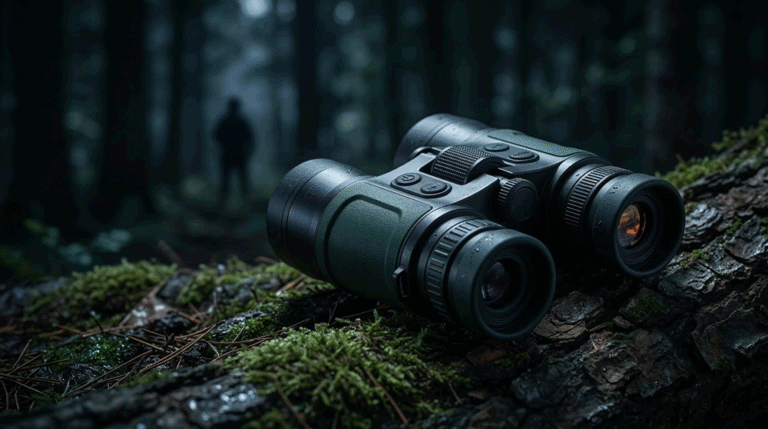
Devices. Choose a family, not a one-off: a compact monocular for scanning, a higher-clarity handheld viewer (binoculars or larger monocular) for observation, and a mountable optic if the project scope includes weapon use or tripod-based surveillance. Keep a shared battery ecosystem and a consistent button layout. Reusing a stable core such as a thermal camera module will keep your “image signature” and UX consistent across all tiers.
Software. Ship a simple, robust stack: on-device UI with “Basic” and “Advanced” layers; a desktop viewer that opens radiometric images, adjusts palettes, and generates PDF; and an optional mobile app for live view, annotation, and OTA updates. For integrators, the value lives in the APIs—ONVIF/RTSP for video into VMS, and a file/API route to CMMS/EAM or field-service suites. Our handheld thermal imaging solution clients who win tend to keep the app humble and the PC tool reliable.
Services. This is the contract glue: training and certification; spares and RMA; an SLA that matches shift schedules; and a change-control process (PCN/ECO) that won’t surprise the customer during a long framework agreement. If your website shows a visible quality program and warranty & after-sales policy, procurement stops asking the “what if” questions.
3) Bundle by vertical: match terrain, distance, and proof
Different buyers need different “proof”. Below is a pragmatic mapping you can paste into a proposal and adjust per customer.
| Vertical | Core jobs in the field | Bundle (devices + optics) | Software & data must-haves | Services that win |
|---|---|---|---|---|
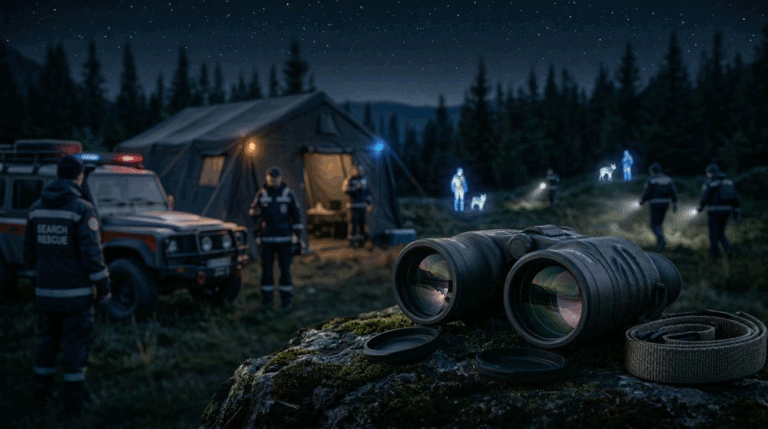
| Patrol & SAR | Scan treelines, find warm targets, coordinate teams | Handheld viewer with medium FOV; compact monoculars for each team member | Simple “Scan / Detail / Tracking” modes; GPS stamping; rapid capture; radiometric stills | Night-shift hotline; loaner pool; glove-friendly training; IP54+ |
| HVAC service | Duct leakage, coil issues, condensation risk | Wide-FOV monocular; optional macro clip-on | ΔT tools, isotherm alarms, dew-point overlay; one-tap PDF | Fleet spares; quarterly calibration; app for photo + job ID |
| Plumbing | Slab leaks, radiant loops, sweating lines | Manual-focus monocular; macro accessory | Radiometric stills; ΔT annotations; moisture-meter data entry | On-site training; rugged case kits; repair SLAs under 7 days |
| Industrial MRO | Hot spots on panels, bearings, motors | Better/BEST device with tighter accuracy; tripod socket | Multi-ROI logging; CSV export to CMMS; user roles | Calibration report per unit; onboarding for shift leads |
| Building envelope | Heat loss, wet insulation, window leaks | Wide-FOV viewer; long battery life | Batch report builder; geotag; weather note; emissivity presets | Seasonal playbook; report templates with brand header |
| Wildlife & conservation | Survey, species count, anti-poaching | Long runtime; binoculars for reduced eye strain | Waypoints; time-lapse; low-light UI; silent buttons | Field spares; dust/rain covers; solar charging kit |
This is how a handheld thermal imaging solution stops being an accessory and starts being a program the buyer can roll out by site, by shift, and by job role.
4) Device architecture that scales without retraining
Integrators live or die on repeatability. Build form factors and lenses around the environments your contract covers.
Form factor. One “spotter” monocular for find, one “viewer” for observe. If the engagement needs aiming, add a scope or clip-on but don’t blur names—label “handheld only” vs “mountable” in hardware and UI.
FOV and distance. Design around terrain, not catalog focal lengths. Woodland and indoor inspections need wider FOV (35–50°); open fields prefer narrower angles for ID at 200–400 m. Express that in language field users understand: “At 100 m, this frame covers ~40 m width.”
Battery & runtime. Publish runtime at 20 °C and –10 °C. Promise gloved hot-swap, then actually test it. Share packs across the range. If a night-shift technician can carry one spare for everything in their bag, your handheld thermal imaging solution becomes the tool they pick up first.
Controls. Keep power, palette, zoom, and capture on single taps. Hide connectivity and configuration behind a long press. Maintain the same button logic on monoculars, binoculars, and scopes so your training slides work for all.
5) Software that respects time on site
A field tech will love you for three things: fast start, obvious capture, and a report that looks professional without going back to the office. That’s the bar your handheld thermal imaging solution needs to clear on day one.
On-device UI. Two layers only. “Basic” shows palette, zoom, capture. “Advanced” hides Wi-Fi, timestamps, overlays, and settings behind a clean menu. Use plain labels—Bright white, Black heat, Highlight heat—not internal palette names. Offer Scan, Detail, Tracking modes rather than opaquely named profiles.
Desktop viewer. Make it boring—in the best way. Open radiometric images, adjust palette and span, drop spots and boxes, export a PDF, and save CSV/JSON of measurements. If it runs offline, loads in under two seconds, and never crashes, your support inbox stays quiet.
Mobile app. Keep it focused: live view, quick annotation, and OTA firmware. Avoid cramming every menu into a 6-inch screen. Your handheld thermal imaging solution wins by staying reliable, not by releasing every feature on every platform.
APIs & formats. For integrators, the gold is simple interfaces: RTSP/ONVIF streaming for VMS; a folder/API drop that their CMMS/field-service platform watches for incoming PDFs and radiometric JPEGs; and a tiny SDK to read temperature payloads if they need custom charts. If you can send job ID and user ID in metadata, you save hours of admin per week.
6) Reporting: proof that closes tickets
Customers buy proof. Your template library should cover each vertical with actionable, one-page reports. A good handheld thermal imaging solution report has the picture, the numbers, and the decision hints.
What the PDF should show, every time.
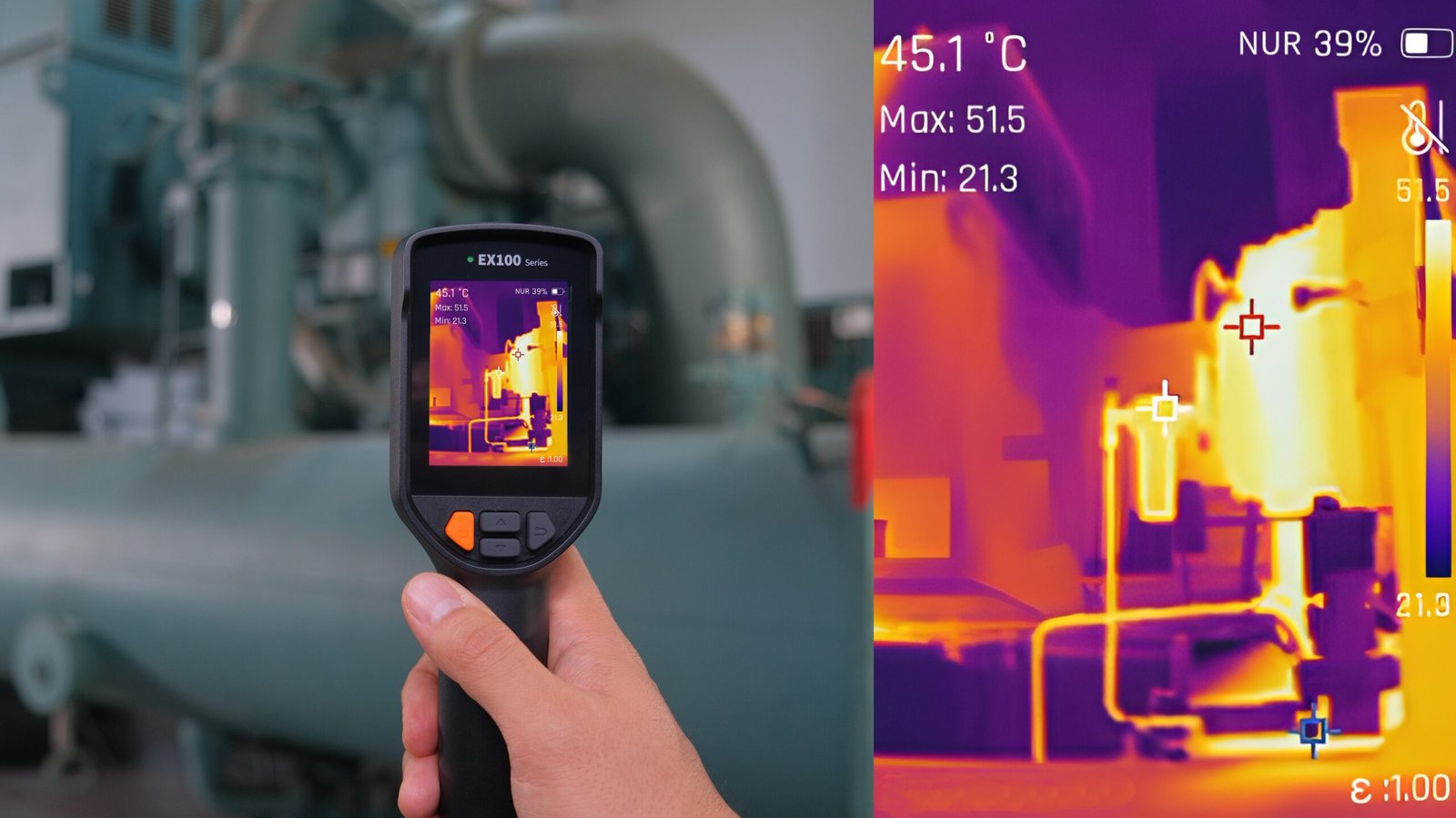
A hero thermal image with a visible-light inset where helpful; hotspots and ROIs annotated; ΔT measured against a reference; palette/pseudo-color noted; emissivity value; ambient temperature; relative humidity; dew point (when applicable); device ID and firmware version; operator name; timestamp; GPS (optional); and a plain-English note like “Condensation risk high: surface within 0.5 °C of dew point”.
One change that stops arguments.
When you ship the template with company logo space and a clear place for “Work Order ID / Job ID,” the PDF slides right into the customer’s workflow. Service managers stop taking phone photos of screens and call-backs drop.
7) Integration patterns you’ll actually deploy
Most projects fall into three integration shapes. If you pre-build for these, pilots convert faster.
Files-in-folder. The device or app writes PDFs and images to a watched folder with job IDs. The customer’s CMMS (Maximo/SAP PM/ServiceNow FSM/etc.) ingests them automatically. It’s not fancy, but it’s bulletproof and requires no new servers.
API push. The app or desktop tool POSTs to a simple endpoint with image files and JSON metadata. IT signs off because it’s scoped: one port, one endpoint, keys rotated on schedule.
Video streaming. For patrol/security, an RTSP/ONVIF stream pipes into VMS (Milestone/Genetec/etc.) for live viewing and recording while still allowing local capture for radiometric analysis later. Your handheld thermal imaging solution doesn’t need to be a full camera platform; it just needs to be a good citizen of the video network.
8) Services that de-risk the rollout
Integrators sell trust. Services are how you demonstrate it before and after the PO.
SLA & support. Put the obvious in writing: response times by priority, timezone coverage, and escalation paths. If you offer a “night-shift hotline” for patrol customers, say so in bold. State repair turnarounds and loaner policies.
Calibration & lifecycle. Ship each device with a current calibration report; publish your NUC behavior; and commit to a product change notification flow for hardware and firmware. When a detector rev changes, tell the buyer before they discover it in the field.
Spares & RMA. Maintain a simple spare parts list—detector module, main PCB, display, housings. If the customer’s depot can do board swaps, train them. If not, guarantee turnarounds. Nothing kills trust like a six-week RMA for a busy fleet.
Training & certification. Offer a short “train the trainers” course and printable checklists. If UI logic is shared across SKUs, your training burden falls by half. Your handheld thermal imaging solution should include a two-minute demo script that new staff can learn in one session.
9) Pricing and finance: sell outcomes, not only units
You don’t have to choose between CAPEX or subscription; mix models by vertical.
CAPEX + support. Most industrial and public safety buyers still prefer to own devices. Sell bundles with defined warranty extensions, calibration packages, and accessory kits that increase ticket value without complicating procurement.
OPEX / fleet plans. For service companies, a monthly per-tech package that includes the handheld, the reporting tool, calibration, and next-day advance replacement can unlock budgets that pure hardware quotes cannot.
Pilot-to-rollout incentives. Convert pilots into rollouts with earned credits: if a 10-unit pilot meets KPIs (see next section), credit a portion of pilot cost against the first 100-unit order. Most buyers don’t need discounts; they need a CFO-friendly path to scale.
10) KPIs that prove value in 30–60 days
A handheld thermal imaging solution wins when it makes numbers move. Pick KPIs that frontline managers already track.
Time-to-diagnosis. Minutes from arrival to first actionable image. HVAC teams often save 10–20 minutes per call; patrol units reduce search time along a treeline by a clear percentage. Track before/after.
First-time fix rate. If thermal cuts “come back with the right tool” revisits, managers notice within a week.
Attach rate to reports. Percentage of jobs with a PDF attached. If your PDF tool is one tap, this number climbs; it’s a proxy for professionalism and training adoption.
Return rate / RMA. Hardware returns drop when you publish cold-weather runtime and ship a battery system that swaps with gloves. Measure it; your future proposals will quote it.
A simple ROI sketch helps procurement decide: if a tech saves 15 minutes on 3 calls/day (~45 minutes/day), that’s ~16 hours/month. At $80/hour blended cost, one unit frees $1,280/month of capacity—before counting additional revenue from documented upsells.
11) Deployment playbook: from POC to scale
A reliable pattern will prevent death-by-pilot. Keep it boring, repeatable, and dated.
Week 0–1 (POC plan). Agree on jobs and locations; name pilot users; define KPIs; load the reporting templates with the customer’s logo and job IDs.
Week 2 (handover & training). Ship labeled kits; run a 60-minute session: power, palette, scan, capture, report. Leave a one-page quick guide and the two-minute demo script.
Week 3–5 (shadow & adjust). Review PDFs weekly; tweak palette defaults and isotherm thresholds; swap any unit that draws complaints. Keep a change log so the customer sees progress.
Week 6 (KPI review & proposal). Present measurable gains with timestamps and sample reports. Propose tiered bundles per site and shift. Offer a rollout calendar that shows when spares, training and SLAs kick in.
This is the cadence that turns a handheld thermal imaging solution from a test into a contract.
12) Compliance and governance that keep bids safe
Even humble handhelds touch procurement nerves. Answer the evergreen questions up front.
EMC & safety. State CE/FCC/UKCA status and provide declarations. Show your drop and ingress ratings (IP54–IP67 as relevant).
RoHS/REACH. Keep the letters on file and visible. If the sector cares about WEEE, mark the packaging.
Export control. Thermal devices can be dual-use in some jurisdictions. If a project has cross-border logistics, put a line in your proposal about export categorization and screening—even if the buyer doesn’t ask.
Data residency. If you offer cloud features, say where data lives. Many customers are content with local-only operation; highlight that as a selling point.
13) Example solution kits you can clone
Great integrator kits read like action plans, not bill of materials.
HVAC Air-Tightness & Condensation Kit. A Better-tier handheld with wide FOV and dew-point overlay, mini-tripod handle, magnet mount for air-handlers, a printed one-page “how to prove leakage” card, and the desktop report tool pre-loaded on a USB. The handheld thermal imaging solution outcome: find, prove, and sell remediation in one visit.
Plumbing Slab-Leak Pre-Locate Kit. A Best-tier manual-focus monocular with macro clip-on, a pin/pinless moisture meter, floor markers, and knee pads in a slim case. The report template prints ΔT and a floor sketch. The outcome: smaller demo area, fewer angry homeowners.
Patrol & SAR Team Pack. Four compact monoculars for scouts, one viewer binocular for command, spare batteries in a color-coded pouch, and a laminated “scan line” card. The outcome: shorter searches, cleaner comms.
These kits also merchandise well online: one hero photo, three real thumbnails (attic, panel, leak), the “How close / How clear / How long” answers, and a QR to a 60-second video.
14) Content and SEO notes for integrator landing pages
Integrators Google in patterns. Your handheld thermal imaging solution pages should meet those patterns with real information, not generic filler.
Titles & intros. Use job-first phrasing: “Handheld thermal imaging solution for HVAC service fleets” beats “Latest high-resolution thermal camera”. The first paragraph should answer “what it does, for whom, in what conditions.”
Schema. Mark the main page with Article or Product schema as appropriate, add an FAQPage block for common objections (battery, cold runtime, report formats), and a HowTo snippet for the two-minute demo. That trio captures featured snippets and boosts CTR.
Internal links. Keep people inside your ecosystem with natural anchors: thermal camera module, thermal camera module integration, thermal monoculars, and your visible quality and warranty & after-sales pages.
Media. One clean hero image and two application photos do more than a gallery. Use alt text that reflects jobs (“HVAC duct leak isotherm overlay, handheld thermal imaging solution”) and file names that include the keyword (e.g., handheld-thermal-imaging-solution-hvac-duct.jpg).
15) Frequently asked questions
Do we need multiple handheld models to start?
One well-specified “workhorse” plus a compact scout unit covers most pilots. Add a higher-clarity viewer for demanding ID or long sessions if the vertical requires it. Because your UI and batteries are shared, the learning curve barely moves as you add SKUs.
Can we use the same solution stack for handhelds and rifle scopes?
Yes, if you keep the basic controls and palette names consistent. Weapon optics add ballistics and reticles, but the handheld thermal imaging solution UI can stay familiar. That reduces training and spares.
Do we need a mobile app?
Not always. Many fleets prefer a robust desktop tool and a stable USB connection. If you ship an app, keep it focused on live view, annotation, and OTA updates. Avoid deep configuration on mobile.
How do we integrate with our CMMS?
Start with files-in-folder: your tool exports PDFs and radiometric images with job IDs to a watched path; the CMMS ingests automatically. Add an API later if IT wants tighter control. This is the least brittle path for most enterprises.
What about calibration and accuracy?
Provide a calibration report with every unit, explain NUC clearly, and offer annual checks. Accuracy expectations differ by job; for HVAC and MRO, ±2 °C or ±2% is common. For insurance-grade work, ship the higher-tier device and document the method.
16) The takeaway for integrators
You don’t need to win on every spec line to win the deal. You need a handheld thermal imaging solution that field users can learn in minutes, that generates a report their managers trust, and that your services team keeps alive without drama. Share batteries and UI across form factors; publish honest cold-weather runtimes; make PDFs that close tickets; keep APIs boring; and show a warranty page buyers can bookmark. That’s the difference between an exciting demo and a signed rollout schedule.
CTA
Bundle devices, software and services into a solution your customers can deploy next Monday. We’ll help you design a handheld thermal imaging solution with shared UI across monoculars/binoculars, honest cold-weather runtimes, one-tap reports, and integrations that play nicely with VMS and CMMS. Start with our proven thermal camera module and fast-turn integration playbook, then talk to our team about kits, SLAs, and pilot-to-rollout plans.